 Lab Dancer
For your dancers
Every dancer gets their own private app, with reports
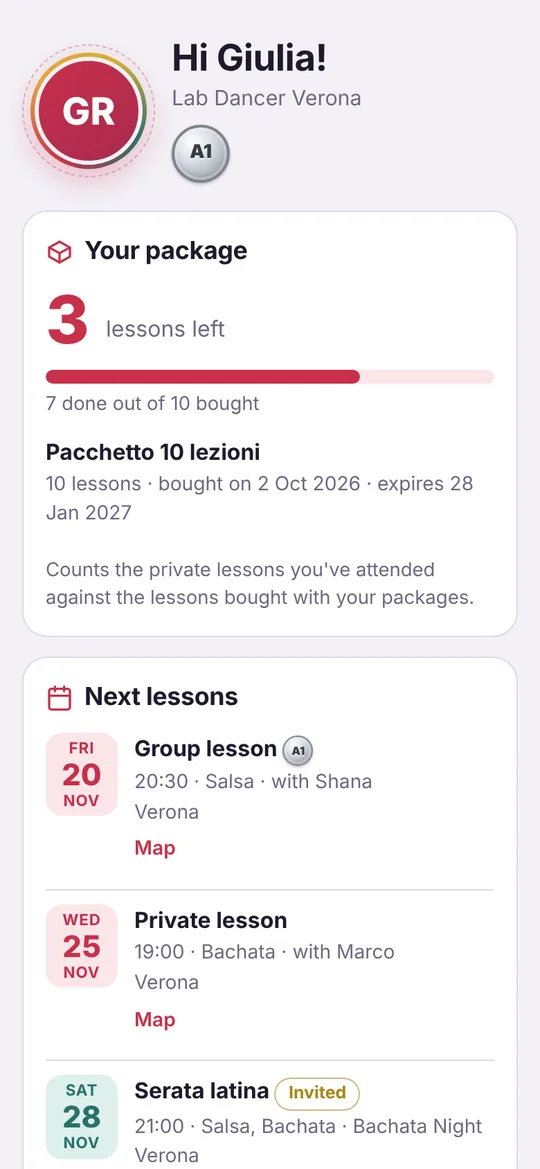
The dancer opens their private app on their phone: nothing to install, no password. It updates by itself every time you mark attendance.
- Their situation, always up to date: lessons done and left in the package, when it expires (with a heads-up if it expires soon or is running out) and any extra lessons still to be paid.
- Their lesson history: group, private lessons and experiences, with date, dance and teacher.
- Upcoming lessons and invitations, with the link to add them to the calendar and the map.
- The figures they've learned, grouped by dance, with notes and videos to practise.
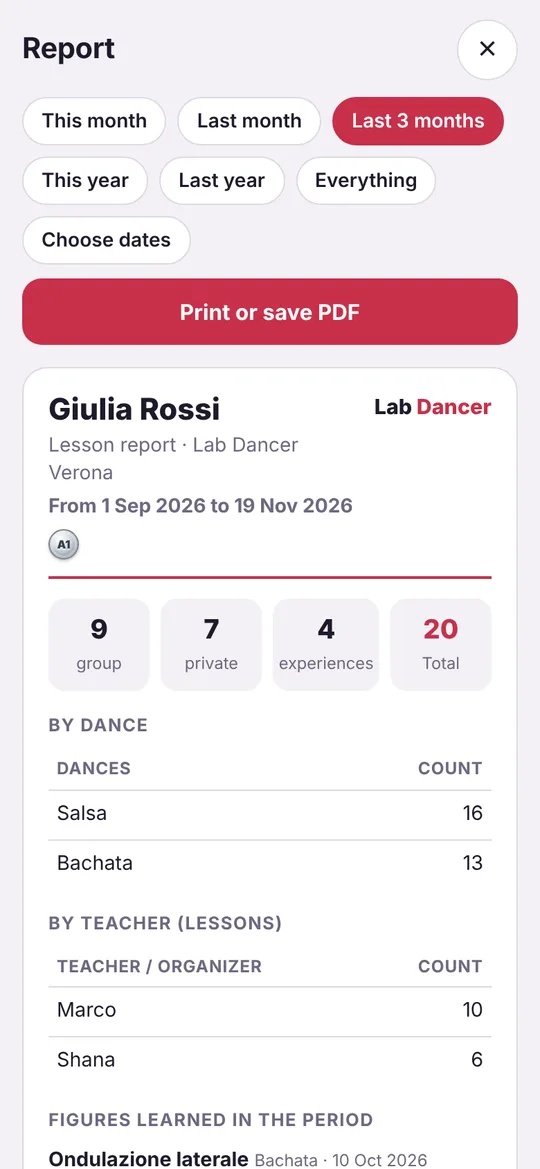
- Period report: the dancer picks a month, a year or any dates and sees attendance, dances, teachers, figures and packages; they can print it or save it as a PDF.
- They write to the school or to their teacher right from their app and read the replies. In English or Italian, following the phone's language.
- Their details always up to date: they update phone, email and address themselves; the school gets a notice and the card updates.
- They receive the school’s messages and, if they like, phone notifications.
Enrol from home
Students fill in their own details, comfortably from home
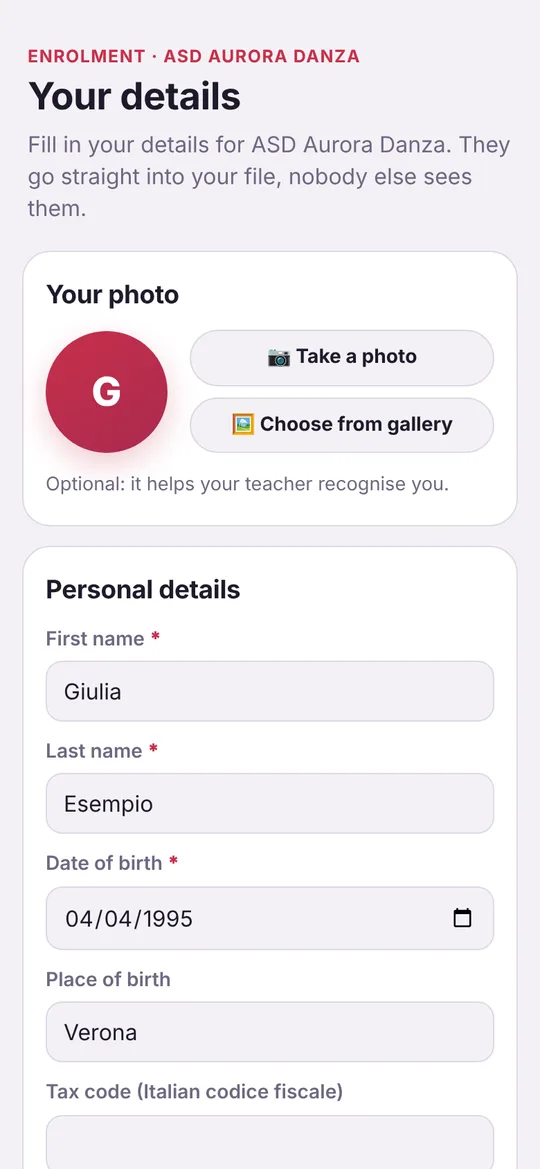
No more paper forms at the studio or details to copy out: with one tap from the dancer’s card, the student enters their enrolment details from their phone, without installing the app and without a password.
- Personal details, tax code, address, contacts and medical certificate expiry; for under-18s the parent or guardian’s details appear automatically.
- They can add their photo, taking it on the spot or choosing it from the gallery.
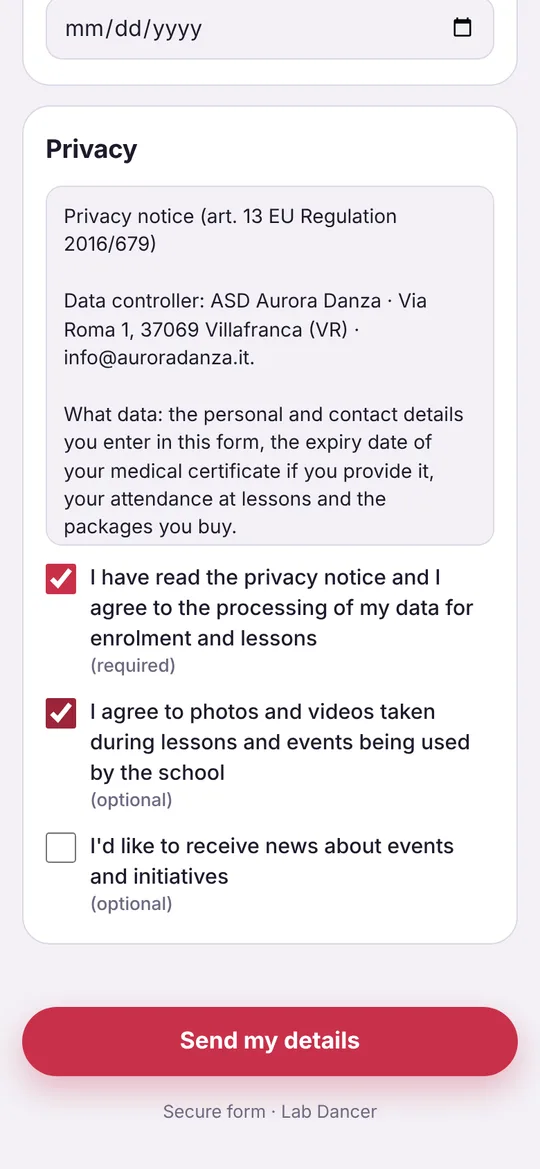
- They read and accept the school’s privacy notice, with optional consents for photos and videos and for communications, kept separate.
- The details go straight into their card: a dot on the photo lets you know, and the card shows when they accepted the privacy notice and which consents they gave.
- The school decides the text of the privacy notice, or starts from a ready-made template with the controller’s details.
The invitation lasts 30 days and can be used once. Try it free →
Try it free for 30 days, no credit card needed. Free trial →