 Lab Dancer
Communication
School, dancers and teachers talk to each other, all in one place
No more messages scattered across chats and calls: communication goes through the private apps of dancers and teachers and the school’s app, stays organised and everyone only sees what concerns them.
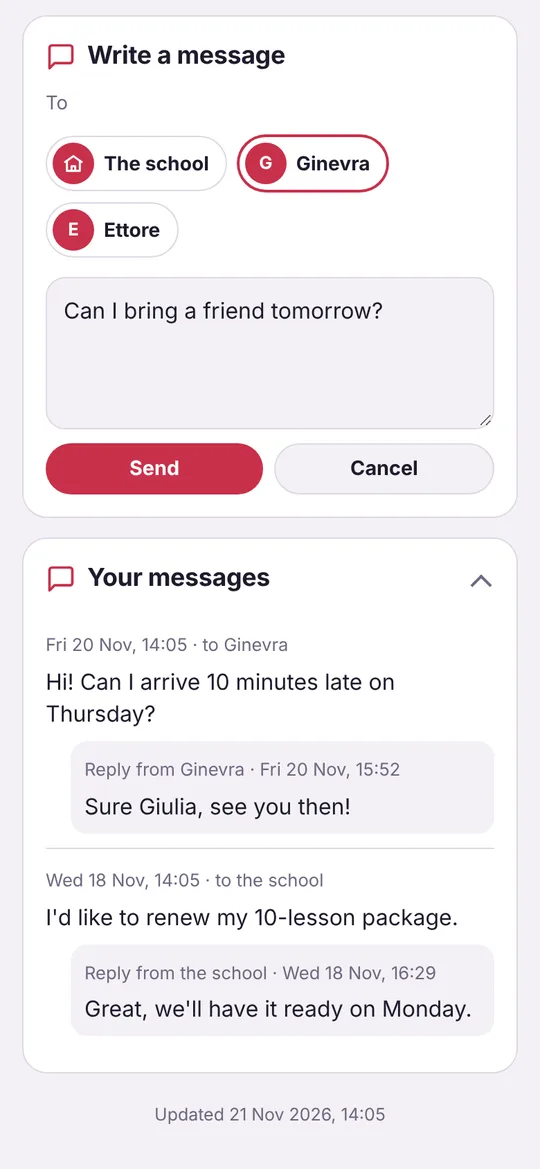
- Between school and dancers: dancers write to the school from their private app; you read the messages received in the app and reply whenever you like, and the reply appears in their private app.
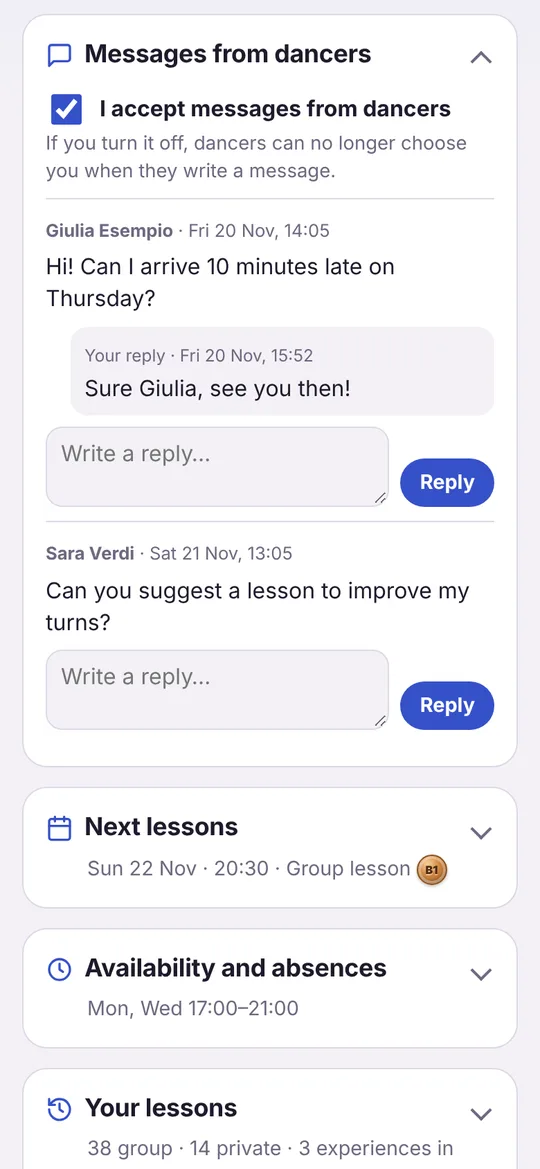
- Between dancers and teachers, directly: dancers choose who to write to, the school or a teacher; a message to a teacher only reaches them, and they reply from their private app.
- Between school and teachers: every teacher has a private app with upcoming lessons and dancers, requests to confirm, messages and availability.
- Teachers can request an absence (a day, a morning, an afternoon or a time range): the request reaches the app and the school confirms it or not.
- Each teacher chooses whether to accept messages from dancers; they also fill in their details and privacy form from a link, like dancers.
- New messages and replies are flagged with a red dot, both in the app and in the private apps.
- School messages in the private app: invitations and notices reach the dancer directly, with the latest one highlighted; each dancer chooses how they prefer to receive them.
- Phone notifications, even with the page closed, for school messages, replies and request outcomes: on Android it takes one tap, on iPhone you add the page to the Home Screen.
- Everything you receive in one archive: messages, booking requests, absences and updated details, grouped by date, by dancer or by teacher, with filters and search.
- Lesson moved or cancelled? Whoever was expected is told automatically: the participant of a private lesson and the invited dancers who had received the invitation, in their private app with a notification on their phone, or on WhatsApp with the message ready to send. For a moved private lesson the dancer answers straight away whether the new time works.
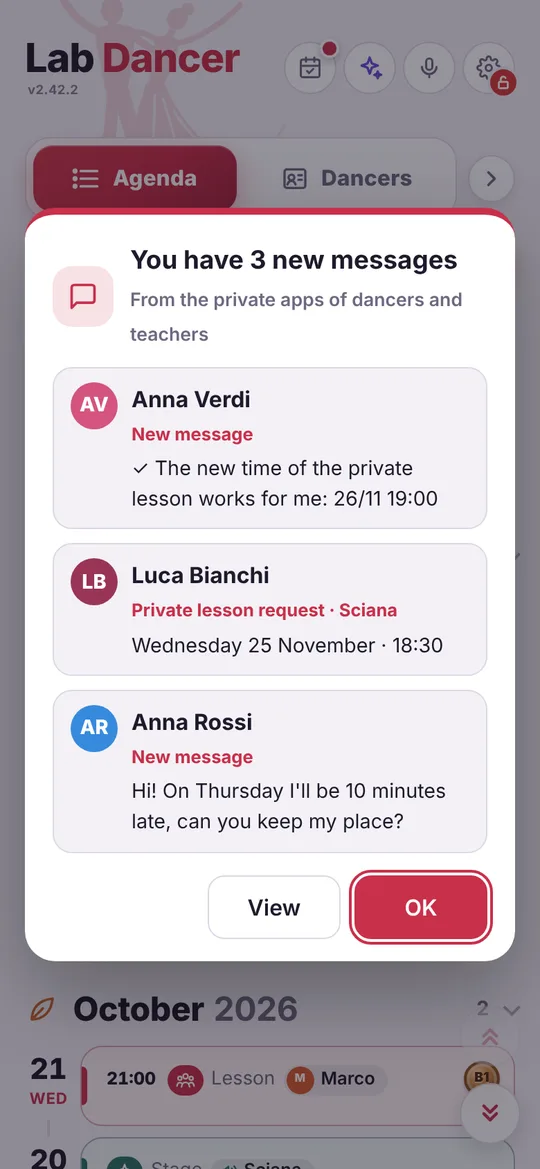
- When a message or a request arrives, the app shows it up front until you press OK.
Nothing to install: private apps open on a phone or a computer. Try it free →
Try it free for 30 days, no credit card needed. Free trial →